
Google Maps: Features, Accuracy, Offline Use, Privacy, and Developer Guide
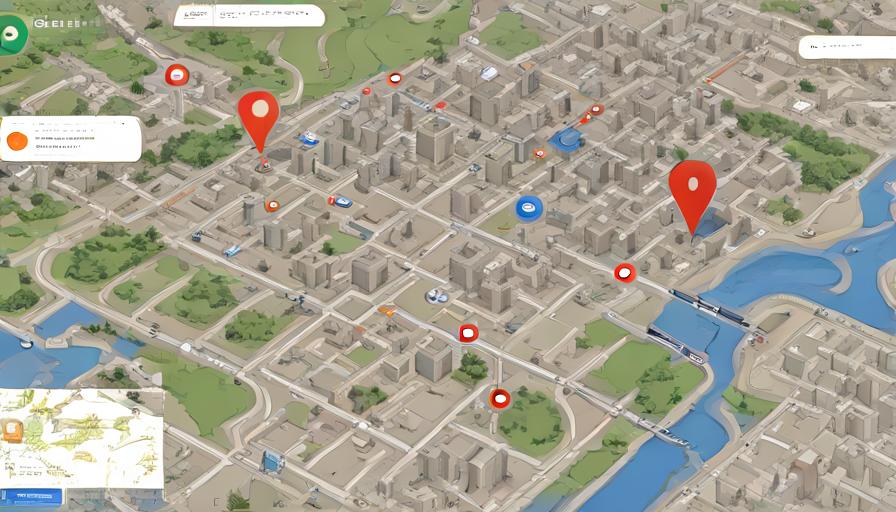
- Google Maps covers over 220 countries and updates data continuously from satellites, Street View vehicles, and user contributions.
- Offline maps can be saved for up to 2 GB per area and refresh automatically every 30 days when online.
- The Maps Platform gives developers a $200 monthly free credit, enough for roughly 28,000 map loads per month.
- Real‑time traffic uses anonymized location data from Android devices and updates every 1‑2 minutes in major cities.
- Users can delete specific timeline routes or use Incognito mode to prevent activity logging.
Google Maps is a free web‑based service that provides detailed street maps, satellite imagery, real‑time traffic, and route planning for driving, walking, cycling, and public transit. It covers more than 220 countries and territories and updates its data continuously through a mix of satellite, Street View vehicles, and user contributions.
What are the main features of Google Maps?
Google Maps combines several tools that help users navigate and explore locations worldwide. The platform includes:
- Turn‑by‑turn navigation with voice prompts for multiple travel modes.
- Live traffic layers that show congestion, accidents, and construction.
- Street View panoramas captured since 2007, offering 360° ground‑level images.
- Indoor maps for airports, malls, and stadiums, launched in 2015.
- Explore cards that suggest restaurants, attractions, and events based on your location.
How does real‑time traffic data work?
Google aggregates anonymized location data from Android devices, GPS probes, and partner agencies to calculate average speeds on road segments. The system refreshes traffic colors every 1‑2 minutes in major cities, allowing users to avoid delays.
How accurate is Google Maps data?
As of 2023, Google Maps claims an average positional accuracy of 5–10 meters for urban areas and 20–30 meters for rural regions. Satellite imagery resolution reached 30 cm per pixel in 2022 for selected locations, improving building footprints and road edges.
What sources feed the map data?
Data comes from three primary channels: (1) proprietary surveys by Google’s mapping teams, (2) third‑party providers such as Navteq and TomTom, and (3) crowdsourced edits from users via the “Suggest an edit” feature, which undergoes automated verification before publishing.
How can I use Google Maps offline?
Downloading offline maps lets you navigate without an internet connection, useful when traveling abroad or in low‑coverage areas.
Step‑by‑step guide to download an offline area
- Open the Google Maps app on Android or iOS.
- Search for the city or region you want to save.
- Tap the name or address at the bottom, then select “Download”.
- Adjust the rectangular area using pinch‑to‑zoom.
- Confirm and wait for the download; updates refresh automatically every 30 days when online.
What are Google Maps’ privacy and data‑collection policies?
Google stores location history only if you enable the “Location History” setting in your Google Account. By default, navigation sessions are retained for 18 months before automatic deletion. The company also offers “Incognito mode” on mobile, which disables activity logging for the duration of the session.
Can I delete specific routes?
Yes. In the Timeline view, select a day, tap the three‑dot menu next to a route, and choose “Delete activity”. The deletion is permanent and removes the data from your personal timeline, though aggregated traffic data may remain anonymized.
How does Google Maps compare to Apple Maps and Bing Maps?
Google Maps generally leads in coverage, street‑level imagery, and API pricing, but Apple Maps offers tighter integration with iOS devices, and Bing Maps provides a free tier for basic web embedding.
| Feature | Google Maps | Apple Maps | Bing Maps |
|---|---|---|---|
| Global coverage | 220+ countries | 150+ countries | 200+ countries |
| Street View | Available since 2007 | Limited (Look Around) | No street‑level imagery |
| Offline maps | Yes, up to 2 GB per area | Yes, limited to iOS 17+ | No official offline mode |
| Public transit data | 150+ cities with live schedules | 80+ cities | 70+ cities |
| API pricing (2024) | $7 per 1,000 requests (Basic) | Free tier limited | $5 per 1,000 requests |
Can developers integrate Google Maps into their applications?
Google provides the Maps Platform, a suite of APIs that let developers embed maps, geocode addresses, calculate routes, and add custom overlays. Key services include:
- Maps JavaScript API – interactive maps for web pages.
- Directions API – route planning with traffic and alternative routes.
- Places API – search for businesses, points of interest, and user reviews.
- Geocoding API – convert addresses to latitude/longitude and vice versa.
As of July 2024, the Maps Platform offers a $200 monthly credit, enough for roughly 28,000 map loads per month for most small‑business sites.
What future improvements are announced for Google Maps?
Google’s roadmap includes AI‑generated “Live View” AR navigation on Android, expanded indoor mapping for 5,000 new venues by 2025, and higher‑resolution satellite imagery using its partnership with Maxar. These upgrades aim to reduce the average route planning time by 15 % for urban commuters.
Overall, Google Maps remains the most comprehensive and widely used navigation service, balancing extensive coverage, frequent data updates, and a robust developer ecosystem.
How can I contribute to Google Maps data?
Anyone with a Google account can suggest edits, add new places, or upload photos to improve map accuracy.
Ways to contribute
- Use the “Suggest an edit” button on a location’s info card to correct addresses, road names, or business hours.
- Tap “Add a missing place” to create a new point of interest, providing name, category, and opening hours.
- Upload Street View photos or 360° images via the Street View app; Google reviews them before publishing.
- Participate in the Local Guides program to earn points and unlock benefits such as early access to new features.
Tips for getting the most out of Google Maps
These practical shortcuts help you navigate faster and discover hidden gems.
- Press and hold on a map point to drop a pin, then select “Measure distance” to see the exact mileage between two spots.
- Enable “Incognito mode” when searching for personal locations to prevent them from appearing in your timeline.
- Use the “Explore” tab to find highly rated restaurants within a 5‑km radius, filtered by cuisine, price, and open now.
- Sync your calendar with Google Maps to receive automatic travel time alerts before appointments.
- Set default navigation mode (driving, walking, cycling) in Settings to skip the selection screen each time.
Frequently Asked Questions
How often does Google Maps update its satellite imagery?
Satellite images are refreshed on a rolling schedule, typically every 6‑12 months for most regions, but high‑traffic urban areas may receive updates as often as every few weeks.
Can I use Google Maps without a Google account?
Yes, basic map viewing and navigation work without signing in, but features like saving places, offline maps, and personalized recommendations require a logged‑in Google account.
What is the difference between Street View and Look Around?
Street View is Google’s 360° ground‑level imagery launched in 2007, covering millions of miles worldwide. Look Around is Apple’s equivalent, available in fewer cities and with a slightly smoother rendering style.
How do I report an error on a map location?
Open the location’s info card, tap the three‑dot menu, choose “Suggest an edit”, then select the issue (e.g., wrong address or misplaced marker) and submit the correction.
Is there a limit to how many offline areas I can store?
Google Maps allows multiple offline areas, limited only by device storage; each area can be up to 2 GB, and older maps auto‑expire after 30 days unless refreshed online.
About The Author